


MLB
4.433.49K Reviews
App Specs
- Version
- Varies with Device
- Updated On
- License
- Free
- Downloads
- 10,000,000+
- Developer
- MLB Advanced Media, L.P.
- Categories
- Sports
- Platform
- Android, iOS
Screenshots

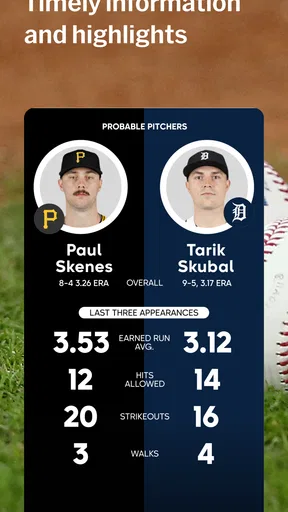
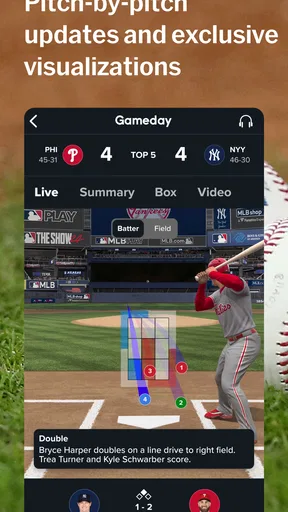
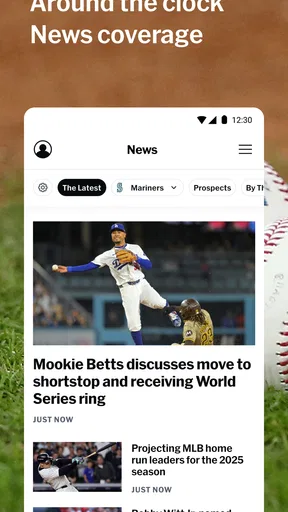
 Analysis by AppCompare
In a shared household, the MLB app can be more useful than a score ticker: it gives different baseball fans a place to check what is happening without everyone needing to follow the same team or watch at the same time. I’d use it for quick score checks in the kitchen, then return to a game or a recap when there’s room to pay closer attention. That flexibility is the main appeal for me, though it works best when everyone understands which alerts and account settings belong to whom.
Sharing a device without sharing every preference
On a tablet left in a common room, one person may care about a close game while another only wants a quick look at scores. Team choices and notifications are worth treating as personal setup rather than household defaults: if several people use one device, agree on whose preferences are active before turning on alerts. Otherwise, a notification meant for one fan can become noise for everyone else.
I’d also keep account access in mind if the device is shared. A household can take turns checking public game information without assuming that every person should use the same account or purchase access. That distinction matters most when someone is exploring the app for the first time: checking scores and reading news is a different commitment from signing in or choosing paid content.
A practical rhythm for busy game days
For a realistic weekday routine, I’d check the score before leaving work, glance at updates during a commute when it is safe to do so, and save highlights or a fuller catch-up for later. The app’s mix of scores, news, and game information suits that stop-and-start pattern better than a television broadcast does. If I have only a minute, a score check is enough; if I have a longer break, I can follow the game more closely.
One useful habit is to decide what kind of follow-up you want before opening the app. If you only need the result, avoid turning a quick check into a long scroll through coverage. If you missed the game and want the shape of it rather than just the final score, highlights and news can make a more satisfying catch-up. That small distinction helps the app serve both casual interest and deeper fandom without making every visit feel like a commitment.
Where it fits among baseball options
Compared with a general sports app, MLB’s biggest advantage is its baseball focus: I’d choose it when I want league-specific coverage rather than a broad feed covering many sports. A team’s own channels may be a better fit for someone who wants only one club’s updates, while a general scores app can be more convenient for someone tracking several sports at once. I see this app as the more natural home for a fan who wants to move between league news, scores, and game details.
Streaming is a separate decision from installing the app. The published article below describes live viewing for MLB.TV subscribers, so I would not treat a free download as proof that every game can be watched without a subscription. If watching is the priority, check the access terms for the content you want before planning a household viewing routine. If you mainly want scores and news, you can judge the app on those uses instead.
Worth Reading Before You Choose

Flipboard Shows What News Apps Must Do Beyond the Feed

Switching to Android Auto Means Rethinking Your Driving Routine

Google Calendar Makes a Crowded Week Easier to Manage

Ludo King Makes the Most of the Minutes Between Plans

Baby Panda World Brings Quick Play to Modern Phones, but Its Game Library Feels Busy

ESPN’s Live Game View Makes Following Close Games Easier
Who will get the most from it
I’d recommend it to baseball fans who like following more than the final result: people who check standings, look up players, keep an eye on several games, or want a convenient way to catch up. It can also help a newer fan learn the rhythm of a season by connecting game updates with team and player information. For someone who watches only occasionally, a quick score check may be all they need, and there is no reason to turn that into a more involved routine.
On the other hand, I would skip it as a primary sports app if baseball is only a passing interest or if you want a single place for many leagues and sports. I’d also choose a television or another viewing option when a large screen and a shared live broadcast matter more than portable access. The app is most convincing when baseball itself is the reason to open it.
As someone who's been a baseball enthusiast for years, diving into the MLB app felt like stepping onto a virtual ballpark. Whether you're a seasoned fan or a rookie just getting into the game, this app promises a full-on experience. Let's break it down, shall we?
Getting Started with the MLB App
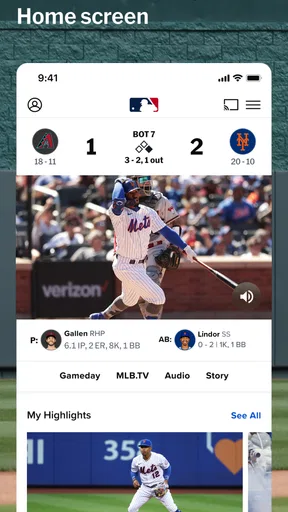
First things first, downloading the MLB app is as smooth as a perfectly pitched fastball. Once you've got it on your device, you're greeted with a clean and intuitive interface. The design is sleek, and it’s easy to navigate, which is a huge plus when you’re trying to catch up on multiple games.
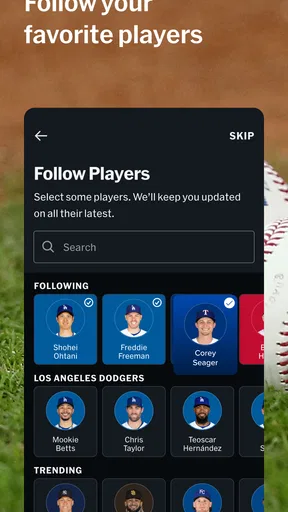
Setting up your favorite teams is a breeze. You can personalize alerts so you never miss a homer or a nail-biting ninth inning. The app makes you feel like you’re right there in the stadium, minus the overpriced hot dogs.
Features That Hit It Out of the Park
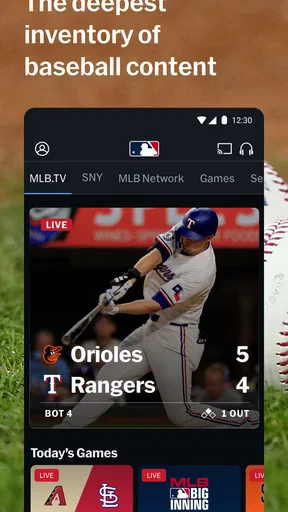
One of the standout features is the live game streaming. If you’re subscribed to MLB.TV, you can watch games live, no matter where you are. The quality is top-notch, and there's minimal lag, so it feels like you're watching on the big screen. Plus, the radio broadcast option is a nice touch for those times when you want to tune in but can’t watch.
Another highlight is the customizable highlights. The app lets you catch up on key plays and moments you might have missed. It’s like having your own personal sports recap show. Also, the in-depth analysis and news updates keep you informed about every pitch and player trade.
Stats and More Stats
If you're a stats junkie, this app is your paradise. It offers a comprehensive collection of stats, from batting averages to pitching records. You can dive into detailed player profiles and team standings, making it easy to impress your friends with your newfound expertise.
The interactive experience doesn’t stop there. The app includes fantasy baseball integration, so you can manage your fantasy team without switching apps. It's a seamless experience that keeps you engaged throughout the season.
Community and Social Interaction
Another cool aspect of the app is its integration with social media. You can share your excitement (or disappointment) about a game with other fans. The community feel is strong, and it’s like having a virtual bleacher with fans from all over the world.
While the app thrives on its features, it's also mindful of data consumption. The developers have made sure it runs efficiently, so you don’t have to worry about gobbling up your data plan while enjoying the game.
Wrapping It Up
At the end of the day, the MLB app is a home run for any baseball fan. It brings the game right to your fingertips with all the bells and whistles you’d expect. Whether you’re streaming a game live, catching up on highlights, or debating the latest trade with friends, this app keeps the spirit of baseball alive and thriving.
So, if you haven't already, give it a whirl. It’s like having the stadium lights in your pocket, ready to shine whenever the game is on. And who doesn’t want that kind of magic at their fingertips?
What to expect before making it a household staple
MLB is a free sports app from MLB Advanced Media, L.P., with a 4.5 average from around 255 thousand ratings and more than 10 million installs. It is rated for Everyone, which makes it suitable for a broad audience, but that label is not a substitute for a parent or guardian deciding what is appropriate on a shared device. The app also offers in-app purchases, with items ranging from under a dollar to around 220 dollars, so I’d make sure household members know that free installation and optional purchases are not the same thing.
For families, the practical question is less whether everyone can open the app and more how they will use it. A younger fan might want scores and player information, while an adult may be the person who decides whether to sign in or spend money on viewing. I would keep that boundary clear and avoid leaving purchase decisions to someone who does not understand what they are approving. The app’s age rating is a useful starting point, not a household spending plan.
Getting more value from quick visits
For fans following multiple games, I’d use favorite-team settings to make the app more relevant, but I would be selective with alerts. A notification for every development can interrupt work, meals, or family time; choosing only the updates that genuinely matter makes the phone feel like a useful scoreboard rather than a running commentary. When several household members share one device, it is especially helpful to review those choices together instead of assuming the defaults suit everyone.
There is also a difference between following a game and watching one. Scores and written updates are easy to fit into small gaps, while live video asks for more time, a suitable connection, and the right viewing access. Radio can be a better companion when eyes need to stay elsewhere, though I’d still avoid listening while driving if it becomes a distraction. Thinking about the setting first helps you choose the right way to keep up rather than opening the most demanding option by habit.
Baseball depth is its strength—and its limit
The concentration on MLB is valuable when baseball is the point. Instead of filtering a broad sports feed, I can stay with standings, player details, league news, and game coverage in one place. That depth makes it a stronger everyday choice for a dedicated baseball follower than a generic scores tool, especially during a season when several teams or storylines are worth tracking.
That same focus can feel like excess to someone who only wants an occasional result. If you follow a variety of sports, a broad sports app may reduce the need to switch between separate services. If you support one team and prefer its own reporting, team-specific sources may be more direct. I’d choose based on what I actually check most often: league-wide baseball coverage, one club’s perspective, or scores across many sports.
My overall view is that MLB works best as a flexible companion, not a promise that every fan in a household will use it in the same way. I’d install it for the baseball follower who wants more than a final score, set alerts thoughtfully, and keep account and purchase choices with the person responsible for them. With those boundaries, it can make shared game-day conversations easier without requiring everyone to watch every inning together.
Pros
- User-friendly interface for easy navigation.
- Real-time updates on scores and stats.
- Customizable notifications for favorite teams.
- Extensive video highlights and recaps.
- Exclusive content and interviews with players.
Cons
- Requires stable internet for optimal performance.
- Some features locked behind a paywall.
- Occasional ads can disrupt user experience.
- Limited offline content availability.
- High data usage for streaming videos.
FAQs for MLB
What features does the MLB app offer?
The MLB app provides live game streaming, real-time scores, and play-by-play updates. Users can also access team schedules, player statistics, and news updates. Additionally, the app offers customizable notifications for game events and highlights, making it a comprehensive tool for baseball fans.
Is the MLB app free to use?
The MLB app is free to download and offers basic features like scores and news. However, premium content such as live game streaming requires a subscription to MLB.TV. Pricing varies, and there are options for monthly or annual subscriptions to access full features.
On which devices is the MLB app available?
The MLB app is available on both Android and iOS devices. It can be downloaded from the Google Play Store and the Apple App Store. Additionally, MLB.TV can be accessed on smart TVs, gaming consoles, and other streaming devices for a broader viewing experience.
Does the MLB app support offline viewing?
Currently, the MLB app does not support offline viewing of games. Live streaming requires an active internet connection. However, users can access certain features like scores, news, and statistics offline, provided they have been viewed and cached earlier.
How user-friendly is the MLB app for new users?
The MLB app is designed with user-friendliness in mind, featuring an intuitive interface and easy navigation. New users can quickly familiarize themselves with its layout, accessing scores, news, and live streaming with minimal hassle. The app also includes tutorials and support for enhanced user experience.


